Asocks Android
Asocks is an application for Android v9 and above.
It works through the Yggdrasil network, so you use a Yggdrasil IP to connect to this server.
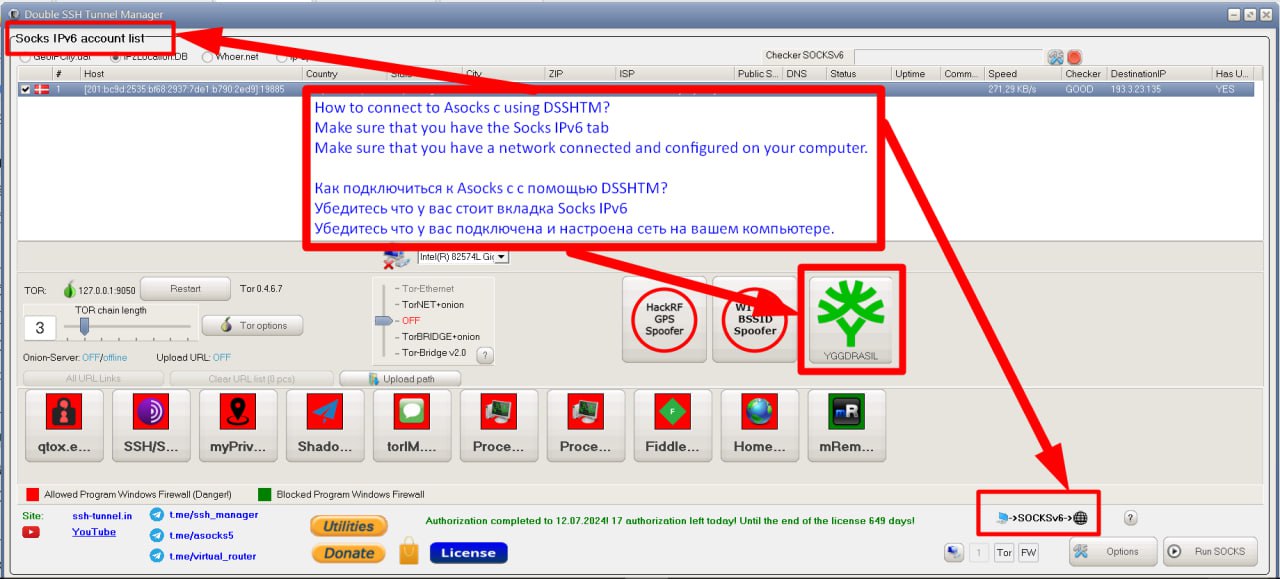
To connect to such a Socks5, the client side (where you will use this Socks5) needs to install the Yggdrasil network https://yggdrasil-network.github.io/
For normal operation, launch the application and place it in a location with good mobile internet.
Using phones with carrier aggregation will provide more speed; the screen remains on to prevent the application from going to sleep.
Using phones with carrier aggregation will provide more speed; the screen remains on to prevent the application from going to sleep.
Tip!!!: Since all phones are behind NAT, they need a good, fast server. In the Yggdrasil network, these are peers. To achieve the best performance, it's better to use one reliable peer.
This peer is best used both on the Socks5 server and on the client. This way, traffic relay will be handled by only one server in the Yggdrasil network.
This peer is best used both on the Socks5 server and on the client. This way, traffic relay will be handled by only one server in the Yggdrasil network.
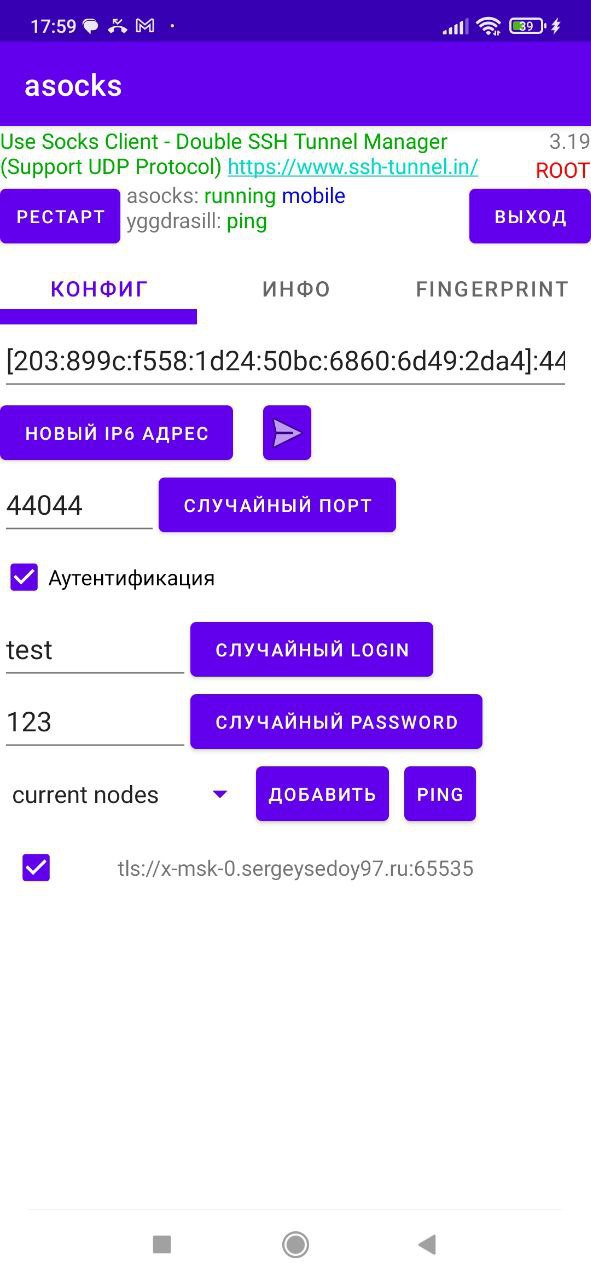
Asocks automatically obtains a list of public peers; to find the most responsive one, there is an option to ping them. Don't confuse ping with speed – it's only about responsiveness!
Asocks supports UDP (udp associate). It's important to note that for UDP support, you will need a client that can support Socks with UDP. Such a client is Proxy Geo Router.
If you simply insert this Socks into a browser, for example via the FoxyProxy application, UDP support will NOT work!!!
If you simply insert this Socks into a browser, for example via the FoxyProxy application, UDP support will NOT work!!!
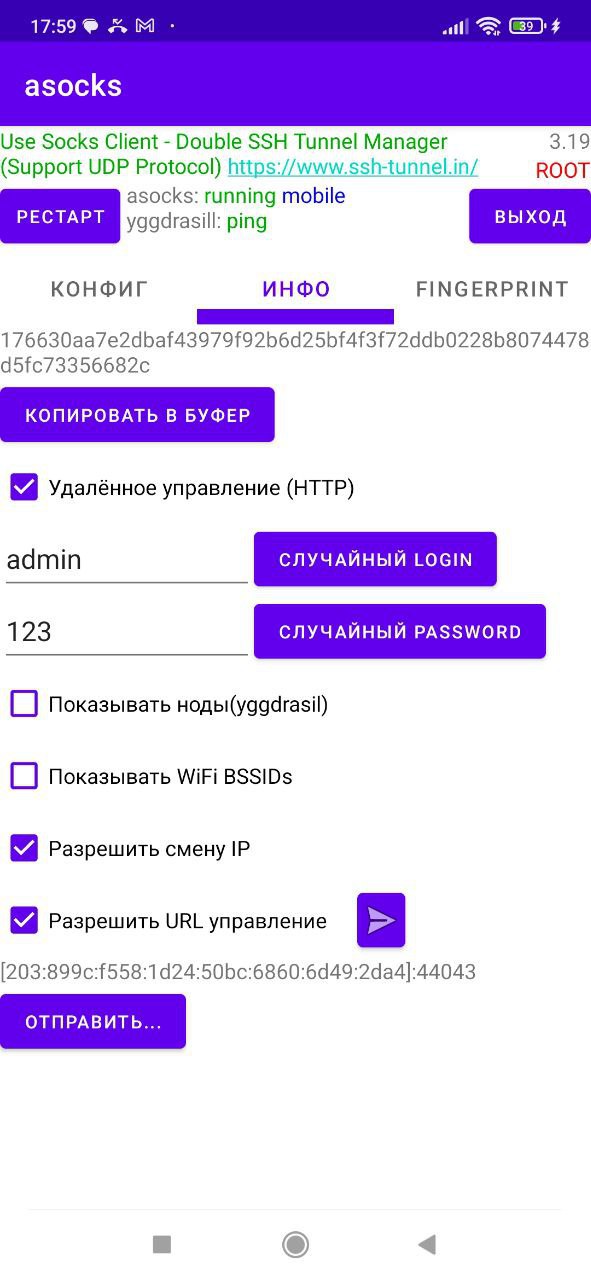
Asocks has web management; for this, it opens a server. The same IP address assigned to your Socks5 is used as the domain. The port used is -1 (minus one) from the port set for your Socks5.
Don't forget that for the Web interface, you need to set up login and password authentication.
Don't forget that for the Web interface, you need to set up login and password authentication.
Through the Web Interface, Asocks will show you the Yggdrasil config and which peers this Socks5 is connected to; this information allows you to find out which server is used for traffic relay.
This way, you can configure better optimization for traffic relay.
This way, you can configure better optimization for traffic relay.
Through the Web Interface, Asocks can show you the BSSID of nearby servers. If the Administrator (the Socks5 Owner) allows it.
Through the Web Interface, Asocks can change the IP address (Switching to airplane mode and back allows reconnecting to cell towers, and the towers assign a new IP at that moment) (Only on ROOTED phones)
Asocks can change the IP address via a URL (Switching to airplane mode and back allows reconnecting to cell towers, and the towers assign a new IP at that moment) (Only on ROOTED phones)
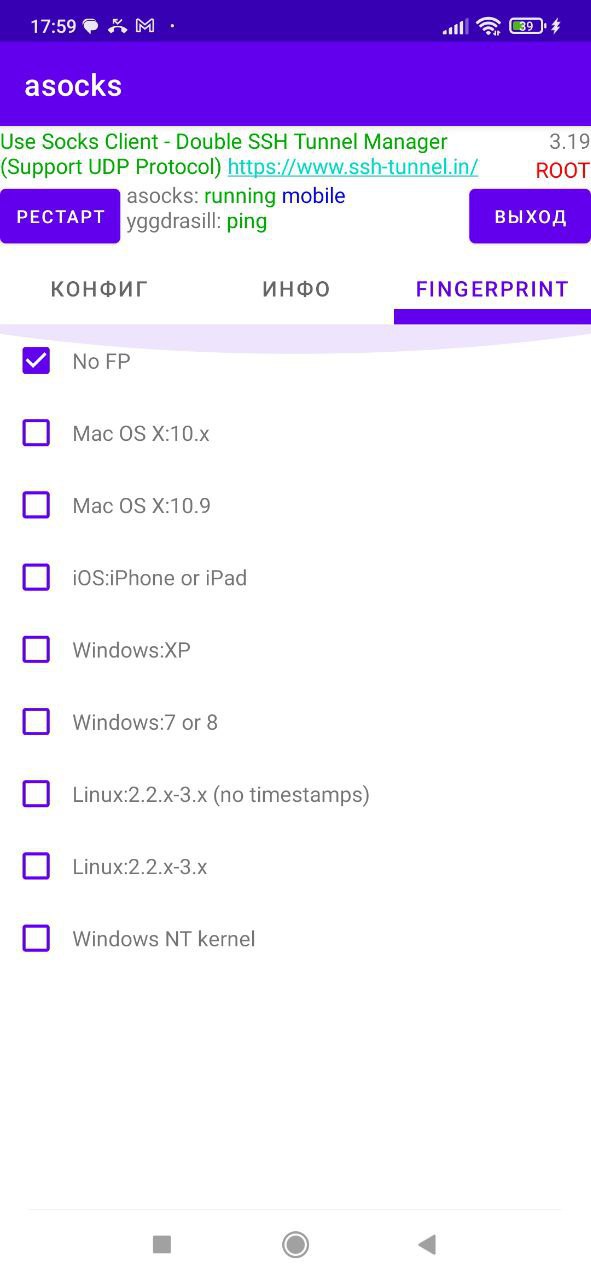
Asocks has the ability to change the operating system's TCP/IP Fingerprint; this can also be done through the Web Interface (Only on ROOTED phones)
A NEW FEATURE THAT WILL INCREASE SPEED! Working simultaneously with two network interfaces: Wi-Fi (incoming network) and 4G LTE (outgoing network). Network detection (mobile, wi-fi) happens when Asocks starts. If you connect to Wi-Fi during use, you will need to restart the Asocks application (Exit)
(For this mode, you need to enable "DEVELOPER MODE" ON THIS PHONE, GO TO THE "FOR DEVELOPERS" section, and find something like "DO NOT DISABLE MOBILE INTERNET EVEN WHEN WI-FI IS ACTIVE") ROOT rights are not needed for this mode!
(For this mode, you need to enable "DEVELOPER MODE" ON THIS PHONE, GO TO THE "FOR DEVELOPERS" section, and find something like "DO NOT DISABLE MOBILE INTERNET EVEN WHEN WI-FI IS ACTIVE") ROOT rights are not needed for this mode!
Asocks Alternatives (Socks5 for Android)
If you know of any alternatives, please let me know. Perhaps we will borrow some ideas from the competition!
From the alternatives, I know Iproxy.Online
But, they have:- Binding to their own servers. (backconnect server) - No UDP - No operation with two network interfaces.
Who is Asocks intended for?
Exclusively for personal use and your own good purposes. Find friends who trust you. Buy them phones abroad, pay for their internet, and you will have happiness for traffic relay and bypassing all sorts of restrictions. Yes, I have already received offers to turn this software into something like a Trojan horse. Guys, I'll say it straight away – that will NOT happen!!! I do not break the law!
More information on my channels